Use your phone as a mouse and keyboard for Windows 11
Use an iPhone or Android as a wireless trackpad and keyboard for a Windows 11 PC. The trackpad, keyboard and media keys come with Moard Free.
Windows 11 · iPhone or Android
Phone buttons that change with your Windows app
With Moard Plus, your phone buttons match the supported app in front on your Windows 11 PC. Switch from a browser to music and tab buttons give way to playback controls.
Try the app buttons
Press Next tab, then Next app on the demo phone. The buttons will change in this tab.
Press Next tab on the phone board.
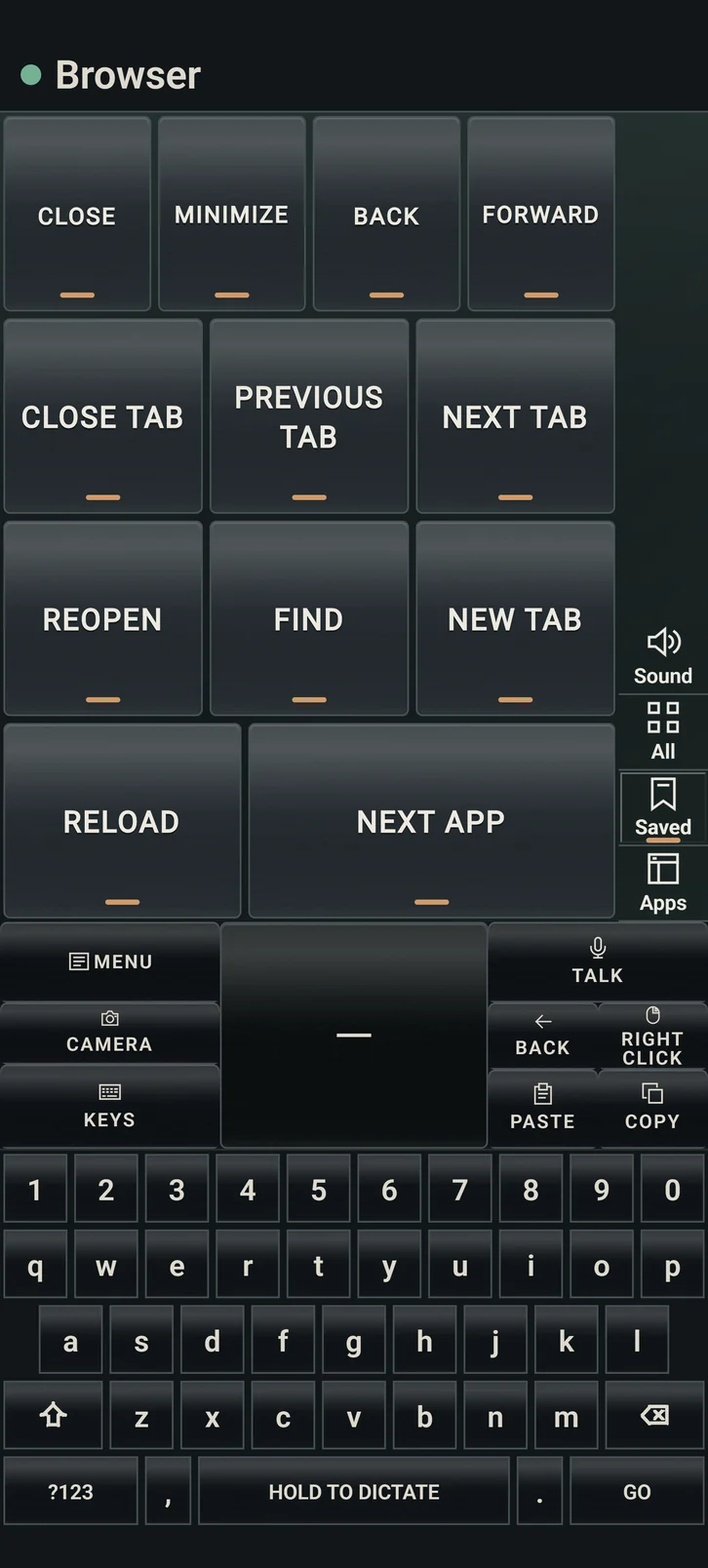
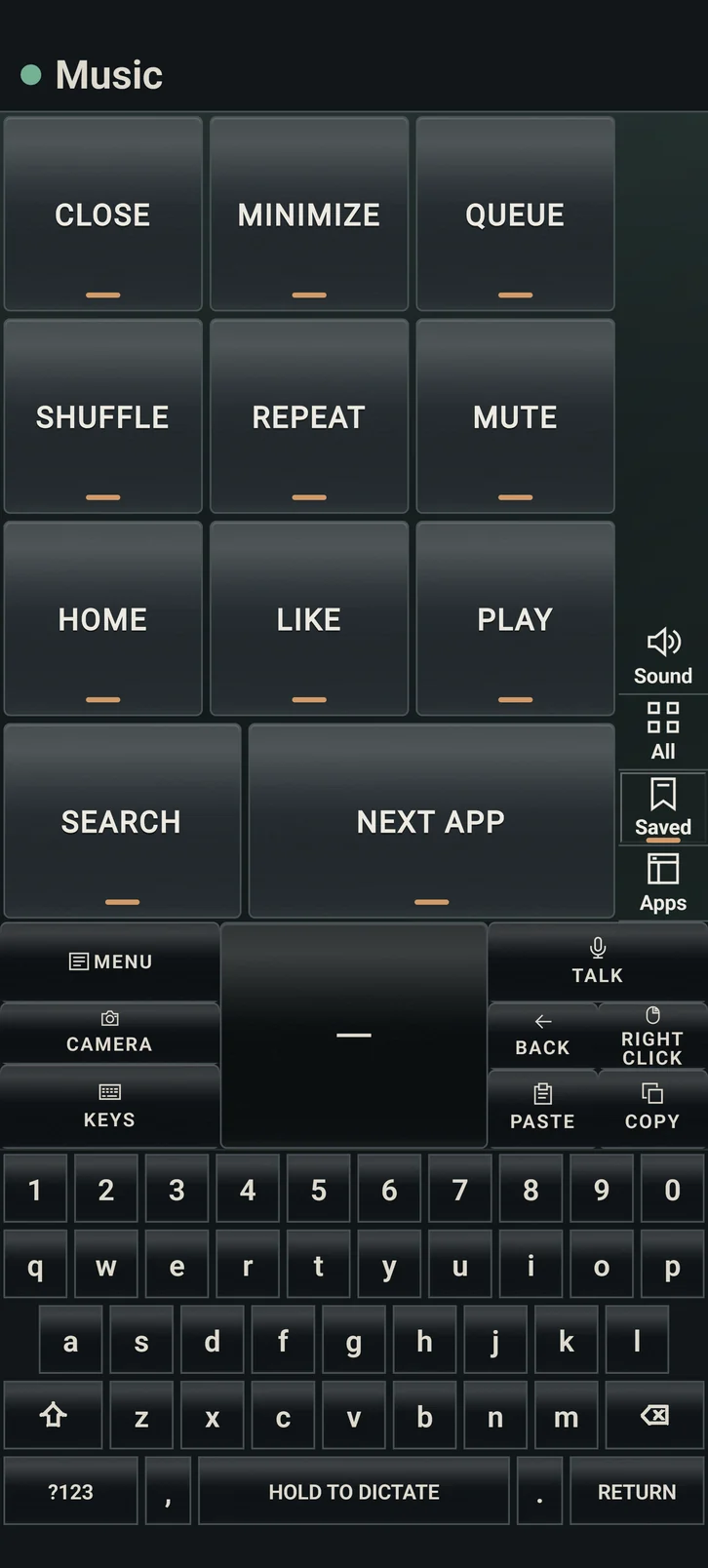
- Install Moard and pair your phone, then open a supported browser and music app on your PC.
- Bring the browser forward and press Next tab on your phone. Bring the music app forward and press Play. Go back to the browser and its buttons return.
- In My Moard on Windows, move or resize the buttons you reach for most.
Included app buttons require Windows to use English as its display language. The trackpad, keyboard and Windows controls are available on Free. See what Plus includes.
Connect your phone and PC
- Install Moard on your Windows PC, then get Moard from the App Store or Google Play on your phone. Connect both devices to the same local network.
- On the PC, open Moard, sign in if prompted and choose Show pairing code.
- On your phone, tap Tap to connect, then Scan the code. Compare the six digits and confirm they match on both devices.
Try the trackpad and keyboard
Slide a finger across the phone’s trackpad and watch the pointer move on the PC. Open a browser, click the address bar and type with the Moard keyboard. The text appears where you clicked.
Your phone controls the PC’s own screen. Keep that screen, or a display connected to the PC, in view while you work.
If the devices can’t see each other
Check that Moard is running on the PC and that both devices are on the same network. Guest Wi-Fi can prevent devices from seeing each other. Try your usual home network, then follow connection troubleshooting if pairing still fails.